
Last Updated on April 20, 2026
We all know that QuickBooks is the most prevalent accounting and bookkeeping software that many small to medium-sized businesses use for their essential work processes. The software was launched in 1992 and has since then gone through various changes and facelifts over time. One of those changes was the arrival of cloud hosting. QuickBooks cloud hosting allows a user of the QBDT app to run it on remote servers over the internet. This eliminates the need to run it on individual computers.
It comes with added benefits, like enhanced scalability, accessibility, and collaboration capabilities. This makes the software more flexible and efficient as compared to installing it on your local workstation, and enables you to access the QB application from anywhere, including your laptop, tablet, and smartphone. In this blog, we’ll discuss in detail QuickBooks cloud hosting and how you can set it up yourself.
If you’re looking to host your QuickBooks Desktop application in the cloud, contact our Accounting Helpline’s experts at 1.855.738.2784 for a free consultation session, who can help you make the right decision.
What is Cloud Hosting?
Cloud hosting is the ability to remotely host your websites and/or applications over the internet for anytime access. Cloud hosting uses a network of both virtual and physical servers to provide you with greater flexibility and scalability. The cloud is often a paid service offered by various providers, but, in most cloud plans, you only pay for the services you opt for rather than buying a standardized plan. This means that you’re charged for the resources you need and use. Let us now discuss cloud hosting for QuickBooks Desktop.
An Introduction to QuickBooks Cloud Hosting
When you host QuickBooks Desktop on the cloud, you’re basically running your licensed QB Desktop software on a remote server provided by a third-party company. This allows you to access the QBDT app from any device connected to the internet. When you host your QBDT, its data is stored in various cloud servers across the internet rather than being confined to a single computer.
Difference Between Web Hosting & Cloud Hosting for QuickBooks
Web hosting is traditionally done on a single server, which means that only one server contains your QuickBooks data and company files. This is similar to the multi-user hosting setup option in QB Desktop. The web hosting types include:
- Shared
- Dedicated
- Managed
- Virtual private server
In web hosting, a single server is shared between many domains. This can lead to the server overloading and crashing. Whereas, in QuickBooks cloud hosting, a network of multiple physical and virtual servers works together to give you a seamless user experience. In the cloud, your QuickBooks Desktop data and company files are stored on numerous different servers. In web hosting, the user might have to change plans if they need to expand their scalability and flexibility. This is where cloud servers shine, as they are flexible and vastly scalable.
Different Versions of QuickBooks You Can Host in the Cloud
There are different versions of QuickBooks Desktop you can host in a cloud environment. Here’s a list of them:
- QuickBooks Desktop Pro
- This is best for small businesses with basic accounting necessities.
- QuickBooks Desktop Premier
- This offers some industry-specific tools, like inventory management.
- QuickBooks Desktop Enterprise
- This is used by larger businesses with complex needs.
- QuickBooks Desktop Accountant
- This is designed for accountants who are handling multiple clients.
This was a list of the versions of QB you can host on the cloud. Additionally, you can also host QuickBooks POS (Point of Sale) and Contractor versions, too.
QuickBooks Cloud Hosting – A Workflow Guide
The workflow while hosting QuickBooks on the cloud is as follows:
- The first step is to set up the server
- In this step, the hosting provider you choose will set up QuickBooks Desktop on a cloud server.
- Then comes data migration
- The QuickBooks data is now shifted to the application installed on the servers.
- Next is connecting to the secure server
- The QB Desktop users now connect with the server via the Remote Desktop Protocol (RDP) on their network-connected device.
- Now you would have real-time access to your QuickBooks Desktop server
- After the above-mentioned steps are executed, you will be able to access your QBDT in real-time from anywhere.
- Lastly comes user management
- Now, your QuickBooks cloud hosting provider would set up other user accounts and permissions to ensure data security.
The last point brings up the next section discussing data security while hosting.
How Safe is the QuickBooks Data Hosted Over the Cloud?
If you choose a reputable cloud hosting provider, they have the most qualified IT professionals who continuously monitor the server and handle all safety and security updates and upgrades. They make sure all your files and data are safe through industry-leading antivirus technology and encryption. This ensures that only you and the people you want to can access your QuickBooks Desktop data. Now, let’s discuss some benefits of hosting QB on the cloud.
Key Benefits of Hosting QuickBooks On the Cloud
Listed below are some of the major advantages of hosting QuickBooks on the cloud:
- You can access your QuickBooks data anytime and anywhere.
- After hosting your QBDT app, you can access it from anywhere you want.
- You only need a device with an internet connection.
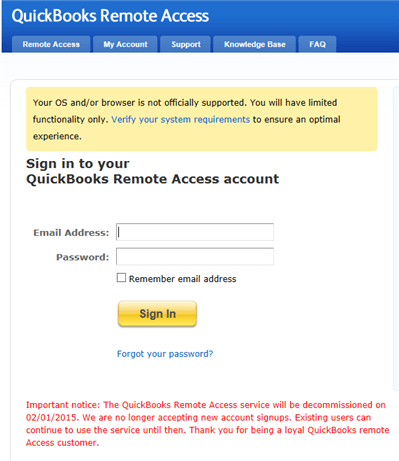
- You can just launch the remote access app and log in with your ID and password, and your QB Desktop will be ready to use.

- There’s no new learning curve, as it operates the same way QBDT does on your PC.
- It enhances data security.
- Industry-leading cloud hosting servers provide great reliability and scalability.
- They have full-time data security personnel monitoring the health and security of the servers.
- They also have advanced Firewalls, hazard avoidance, and alert systems.
- The hosting providers stay up to date with the latest security updates.
- QuickBooks cloud hosting also opens options for data backup.
- Most of the leading hosting providers offer a data backup of up to 90 days. So, even if you lose any data, you can recover it in no time.
- It doesn’t require any server or network maintenance.
- By opting for a cloud-hosted environment, you can just focus on your business rather than managing servers and virtual private servers.
- You don’t need to install or maintain any server or network on your own computer; all you need is a network-connected device.
Now, let us learn about the differences between QuickBooks Desktop cloud hosting and local installation.
What’s Different in QuickBooks Desktop Hosted On Cloud and QB Desktop Installed Locally?
Given in the table below are some of the key differences between QuickBooks cloud hosting and locally installing the app:
| DIFFERENCES | QUICKBOOKS CLOUD | LOCALLY INSTALLED QB |
| Management of users | The user management is centralized | You’re required to set up the user locally |
| Accessibility of the Application | You can access the app anywhere from a device that’s connected to the internet | QuickBooks Desktop would only work on the system on which you installed it |
| Collaborative work features | QuickBooks cloud hosting offers real-time work collaboration | You have to share your file for collaborative work |
| Security of data | High-end advanced encryption and multi-factor authentication | It is as secure as your local workstation |
| Costs | A pay-as-you-go system, where you only pay for the services you need | A one-time purchase with frequent ongoing costs |
| Scalability of resources | The resources are easily scalable | The scalability is limited |
| Maintenance requirements | The hosting service provider handles all the maintenance and backup requirements | You have to maintain the server and system yourself |
| Customization options | A lot of customization options | Limited customization |
When you use the locally installed QuickBooks Desktop applications, it ties you to that single workstation and location. This means you don’t have access to your financial data anywhere you want. Meanwhile, with hosting, you can access your financial data remotely, regardless of your location.
The QB local software would require file sharing for collaborative work processes. Whereas with hosting, you can have real-time collaborative work access.
Now, let us learn about the difference between hosted QuickBooks and QB Online.
Difference Between QuickBooks Cloud Hosting and QuickBooks Online
QuickBooks Online, while granting you server access to your company file, doesn’t come close to QuickBooks Desktop Enterprise. QBO is a browser-based version of the application that is made for businesses at an early stage and doesn’t require advanced functionality and features. Meanwhile, QB Desktop Enterprise with hosting can be accessed through the internet. It offers advanced functionality and is designed to handle more complex business operations. It can be accessed from anywhere with the help of a network-connected device. Listed below are some key features that are not available in QuickBooks Online:
- In QBDT Enterprise, you have access to custom industry-specific reports like manufacturing, professional, and non-profit services.
- It offers tools like barcode scanning, inventory tracking, and warehouse support.
- With the Enterprise version, you are able to send invoices to multiple customers at once.
- The Enterprise version supports large teams with custom roles of up to 40 users.
- You can track labor, materials, overhead costs, and job costs to project the profitability of your business.
These were some of the key features that are not available with QuickBooks Online, but are present with Enterprise cloud hosting.
Conclusion
In this blog, we talked about the topic of QuickBooks cloud hosting and its several advantages. Additionally, we also provided you with the differences between QuickBooks cloud hosting, QBDT installed locally, and QB Online. If you need help in setting up your QuickBooks on the cloud, contact our Accounting Helpline’s experts at 1.855.738.2784 today!
FAQs
How to host QuickBooks in the cloud?
To host QuickBooks in the cloud, you need to first choose a hosting provider. Then, the service provider will set up your QB on the cloud servers. Next, you need to migrate your data to the newly hosted QuickBooks and connect to the servers. Lastly, just set up the users.
Can I host my own QuickBooks?
Yes, you can host your own QuickBooks Desktop application over the cloud. There are multiple reputable hosting service providers you can choose from to accomplish this task. Your data will be safely and securely migrated to the hosted QB application.
Can I self-host QuickBooks?
Yes, the option to self-host QuickBooks is available. However, the user is then solely responsible for security, privacy, availability, and backups of QuickBooks Desktop data.
Related Posts-
QuickBooks Multi-User Setup – Benefits, Precautions & Limitations
Fixing QuickBooks Payroll Setup Error: An Easy Guide
How to Set up Payroll in QuickBooks? An In-depth Guide
QuickBooks Error H202 in Multi-User & Solutions to Fix it
QuickBooks Error 80029c4a: Here’s a Quick Method to Fix
QuickBooks Error 40001 Expert Reasons and Solutions

Edward Martin is a Technical Content Writer for our leading Accounting firm. He has over 10 years of experience in QuickBooks and Xero. He has also worked with Sage, FreshBooks, and many other software platforms. Edward’s passion for clarity, accuracy, and innovation is evident in his writing. He is well versed in how to simplify complex technical concepts and turn them into easy-to-understand content for our readers.